- Published on
Building a University Portal with Power Pages #2
- Authors

- Name
- Calum Harrison
Quick recap
In this series, I’m documenting the process of building a university portal with Power Pages, sharing practical tips along the way :)
In part 1 I said I would cover the Model-driven app that will be the back office application and the portal structure so let’s do that.

High-level view
This is how I’ve imagined it would work. There are three roles covering two areas (CRM and Power Pages).
| Role | Tech | Purpose |
|---|---|---|
| Administrator (back office staff) | CRM (Model-driven app) | Check and update records in the system. |
| Lecturer | Power Pages | Access resources and perform daily operations. |
| Student | Power Pages | Access resources and record activities. |
Model-driven app (CRM)
With the ERD in place I did the following…
Created the tables within a custom solution in Dataverse.
Created a Model-driven app that showcases the tables created.
Added test data so that this can be pulled from Power Pages.
Assigned icons to the tables by creating web resources to make it look better.
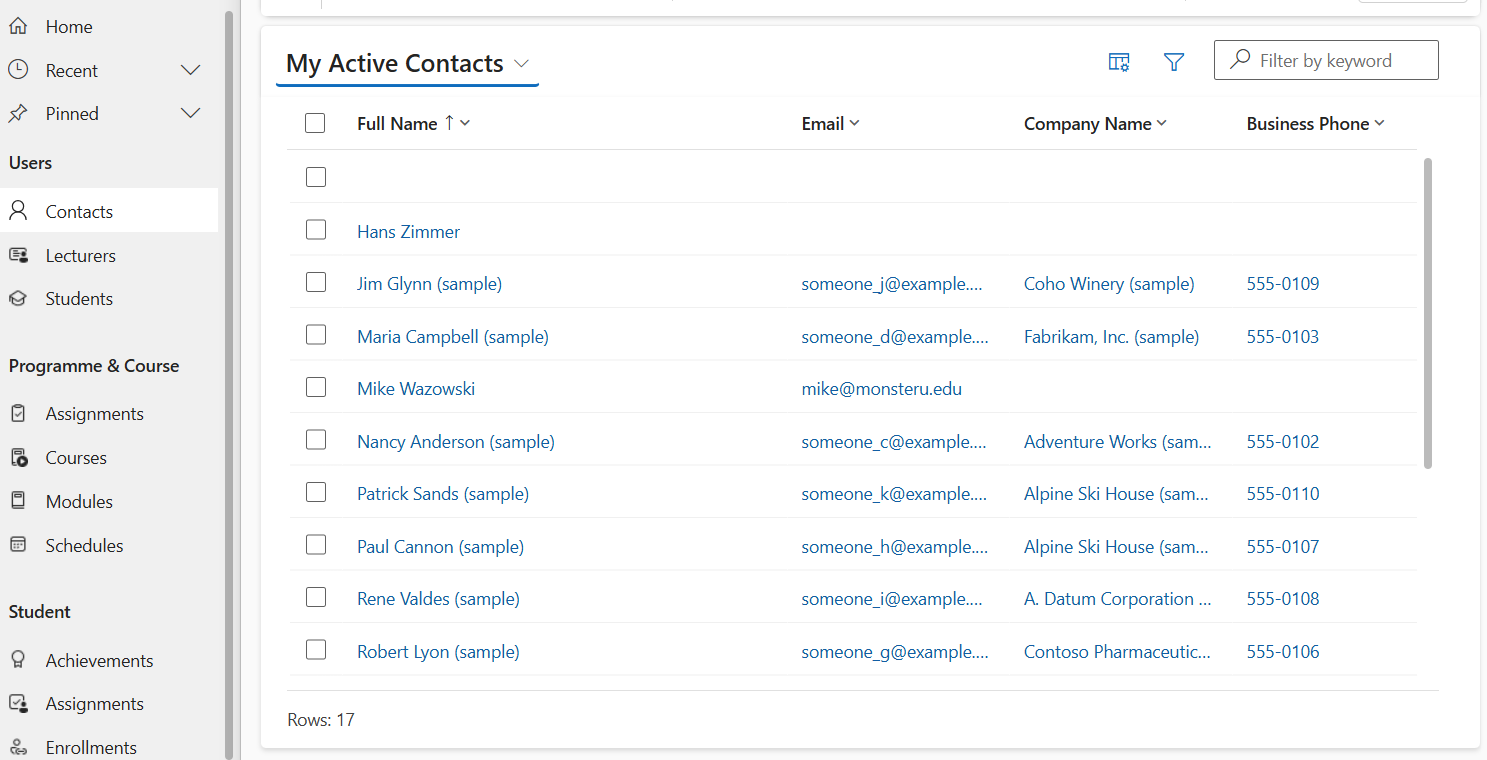
I found a figma link that has lots of fluent UI icons for free so worth checking!
Developer setup

For solo projects this is my normal setup but it’s different for working in teams as you don’t want to override people’s work that can happen with pac cli.
- VS code
- Power Platform Tools extension to download/import the portal
- GIT
- GitHub Desktop to track code changes
- GitHub to store code (for previous work projects I’ve used Azure DevOps
With the setup completed, I did the following…
- Created a Power Pages site from blank (I decided to not go with an existing template).
- Created a auth profile (it’s how you connect to your environment)
- Got the website ID from the pac pages list command
- Downloaded the portal using the pac cli command in VS code.
pac pages download --path "<yourportalfolder>" --webSiteId "<websiteid>" --modelVersion 2 -o
Portal structure
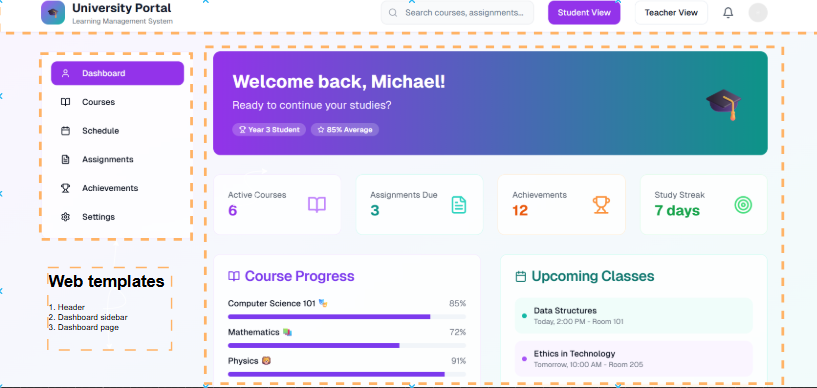
In order to understand what configuration is needed on the dashboard page I like to breakdown the structure particularly for complex pages like the dashboard.
What’s next?
There will be web templates that will be created for the dashboard that should include liquid to fetch data.
If there is anything that I’ve covered that would be useful to cover in more detail please let me know in the comments or LinkedIn and I can add it to the backlog for the future :)
As always, thanks for reading and take it easy!
👋 Enjoyed this post?
Sign up for my newsletter to get notified whenever a new blog is out.
*Don't forget to check your spam folder so you don't miss out!*
This is a personal, non-work project just for learning and sharing.